Up to 30%
fewer no-shows against a 20.6% national average
PT Scheduling Software That Fills the Schedule
TurboPT’s physical therapy scheduling software pairs multi-provider calendars with patient self-scheduling, waitlist notifications and automated reminders, so cancelled slots refill without a full-time scheduler.
 HIPAA · ONC · PCI certified
Used by 1,200+ clinics since 1991.
Physical Therapy Scheduling Software Features
The calendar bends to the clinic — not the other way around. Here's what that looks like day to day.
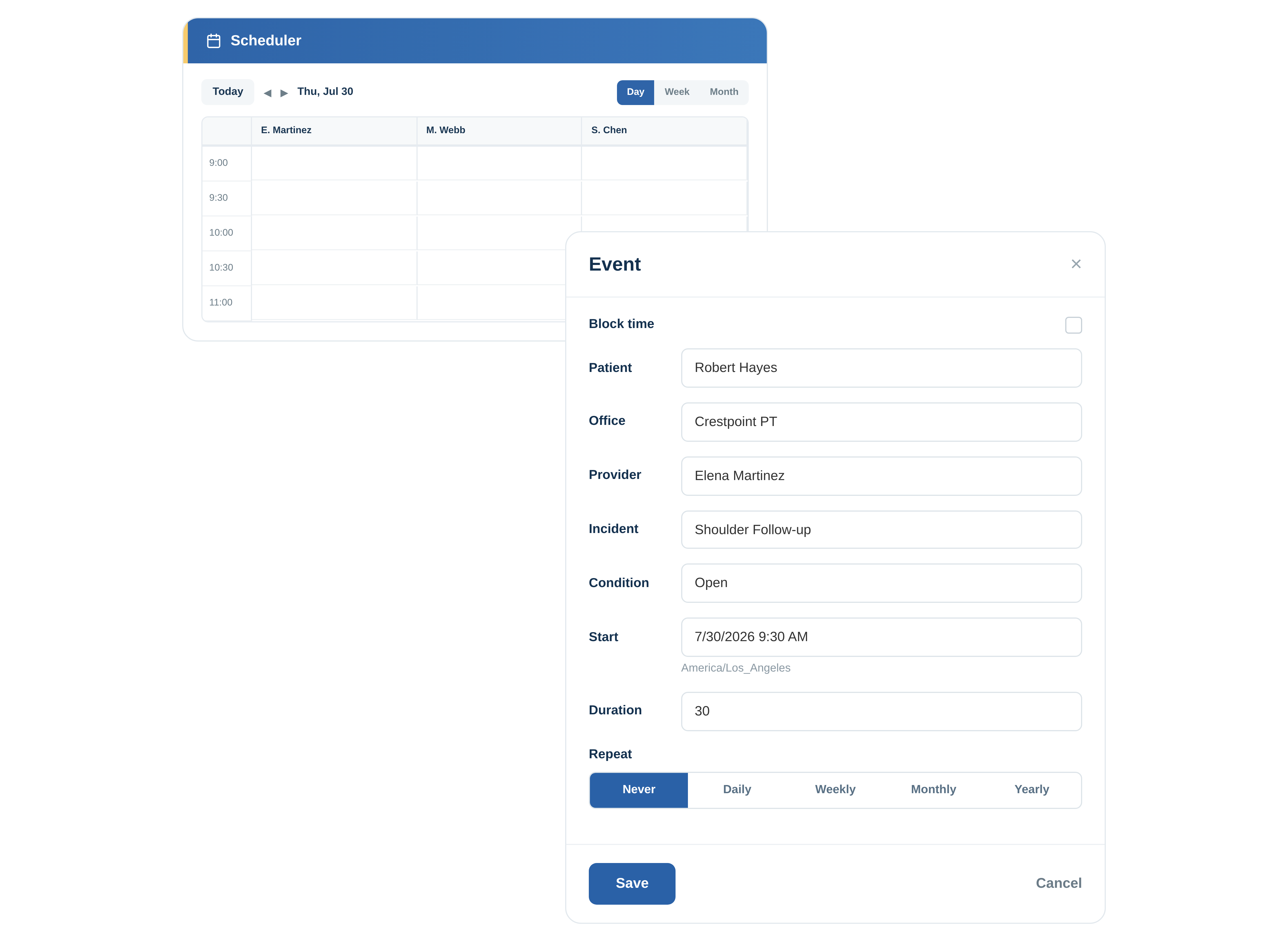
Per-provider tabs or a full-clinic grid. Flip the axis. See one therapist’s week without sixty columns.
Confirmed appointments look different from unconfirmed ones.
Know which providers have room and which slots are leaking.
Finds the next open slot — and doesn’t offer today after close.
Online booking & waitlist
Key performance stats
Up to 30%
fewer no-shows against a 20.6% national average
1,200+
clinics scheduling on TurboPT
How scheduling, online booking and waitlist management work in TurboPT.
Yes. Patients self-book from your website, a search listing or a directory, directly into open slots pulled from real-time availability, so there is no phone tag and no double-booking. Booking paths can differ for evaluations, cash-pay services and follow-ups, and every self-booked visit lands in the same schedule and patient chart as any appointment the front desk books.
Yes. Online booking availability can be filtered by provider, location or visit type, so a patient can pick the therapist and clinic they want. Because it reads the same real-time calendar staff use, a slot that has already been taken is never offered, and the booked visit appears on the provider’s schedule immediately.
Automatically. When a slot opens, waitlisted patients are texted or emailed right away, and the first patient to respond books it. Front desk does not have to work down a phone list, so a late cancellation stops costing you a treatment hour. Fill-rate reporting then shows what percentage of cancellations you are actually recovering.
TurboPT combines automated appointment reminders with confirmation status on the calendar, so unconfirmed visits stand out before the day starts. Clinics on TurboPT see up to 30% fewer no-shows against a 20.6% national average. When a patient does cancel, the waitlist refills the slot, and cancellation reasons are captured by provider, day and payer.
Yes. TurboPT captures cancellation reasons and lets you see them by provider, day and payer. Fill-rate reporting shows what percentage of cancellations you are actually recovering from the waitlist, so the result is reported rather than assumed. Capacity and utilization tracking also shows which providers have room and which slots are leaking.
Yes. TurboPT scheduling supports multi-location practices, with cross-site scheduling and calendars that show multiple providers across multiple days in one view. Front desk can see a full clinic day or focus on one provider at a time, and patients booking online can filter availability by location as well as by provider and visit type.
See how a multi-provider day runs in TurboPT, from online booking to a cancelled slot refilled from the waitlist.